System active

Read your tachograph
over
Bluetooth.

Mandatory DDD downloads straight from the tachograph to your phone. No cables. No laptop. No separate reader device.

Patent pending
iOS & AndroidEU 165/2014Aumovio/VDO DTCOStoneridge SE5000Intellic EFAS
Tachograph live
LIVE
84
km/h speed
124.820
odometer
3:22
Remaining driving time
28:45
Rest today
DRIVING
A2 Utrecht
Week
62%
2 weeks
41%
All features

Everything you need for tachograph management

01
📥

DDD Downloads

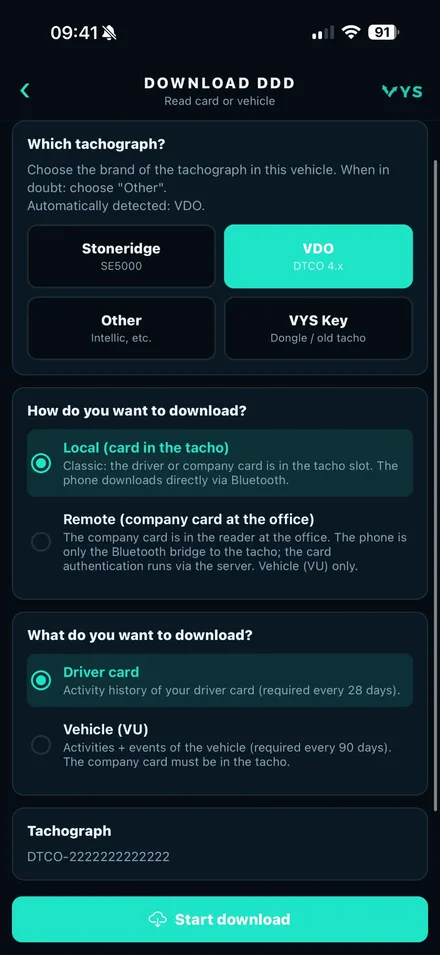
Read out the driver card and vehicle unit over Bluetooth. No extra hardware. The signature is verified instantly.

02
📡

Bluetooth pairing

Pair the app with Aumovio/VDO DTCO, Stoneridge SE5000 or Intellic EFAS over Bluetooth Low Energy. Multiple tachographs per account.

03

Live driving data

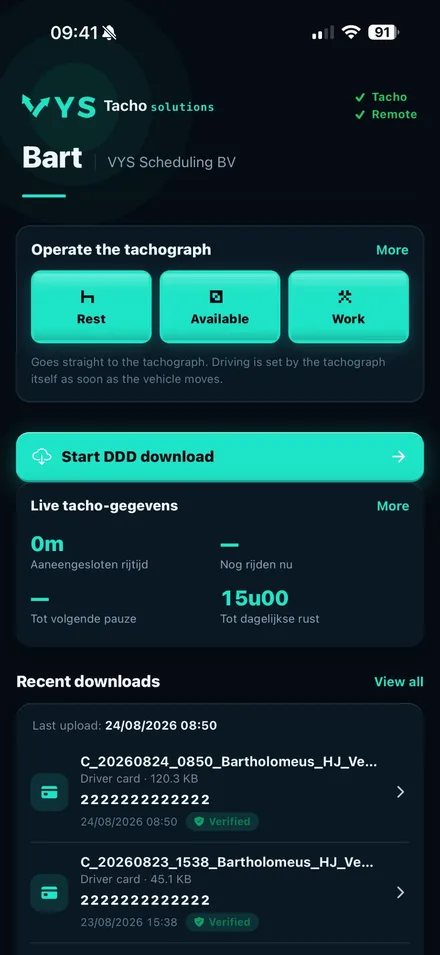
Real-time speed, odometer, activity and remaining driving and rest times. Synchronised through the server across multiple devices.

04
🎛

Remote control

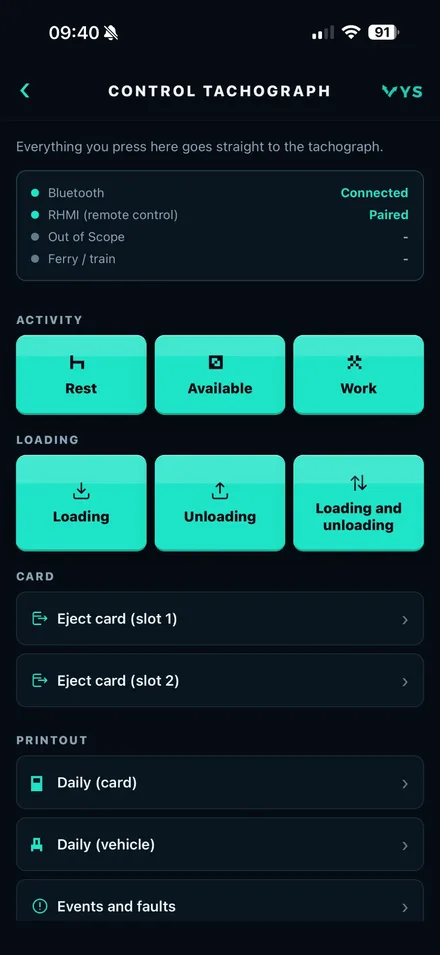
Operate the tachograph entirely from your phone: set activities, withdraw cards, print, manage sessions.

05

Automatic downloads

Set an interval from 4 to 48 hours. The app downloads automatically as soon as the tachograph is in range.

06

Fine analysis & monthly overview

DDD files are analysed automatically for violations, complete with fine calculation. A monthly overview by email.

07
🏢

Company portal

Web portal for transport companies: all drivers, tachographs, downloads and violations in a single overview.

08
🔒

ECDSA verification

Every DDD file is checked for a valid ECDSA SHA-256 signature in accordance with ISO 20919.

09
🌍

Seventeen languages

Fully available in seventeen languages, including the manual and fine tables.

DDD
DDD Downloads

Read out the driver card and vehicle unit

A DDD file (ISO 20919) is the EU-standardised format for tachograph data. VYS Tacho supports both mandatory sources.

Driver card
28 days
  • No company card needed
  • Download takes 20 to 60 seconds
  • Driver name, card number and expiry date
  • Activity log: driving times, rest, work, available
  • Places, vehicles and odometer readings per day
Vehicle unit
90 days
  • Only needs a company card, in the tachograph or remotely. No PIN.
  • Sections: overview, activities, faults, technical
  • VIN, registration plate and odometer readings
  • Faults and tampering attempts recorded separately
  • Download takes 2 to 8 minutes

How a download works

01

Establish connection

The app connects to the tachograph over Bluetooth.

02

Start communication

A secure session with the tachograph is set up.

03

Request download

The app requests the data you need (driver card or vehicle).

04

Stream data

The data is transferred in blocks. Progress is visible.

05

Close out

The transfer is closed properly.

06

Verify signature

The digital signature is checked instantly. A green or amber badge shows the result.

07

Store and share

File saved to your account. Instantly shareable by email, Drive, OneDrive or any other app.

DDD-bestand controleren op overtredingen?

Upload je .ddd-download en zie direct rijtijden, pauzes, dag- en weekrust, arbeid en een boete-indicatie volgens de rijtijdenwet. Inloggen via je beheerder.

Analyseer DDD-bestand
Bluetooth pairing

Pair in four steps

Scan, choose, confirm, done. The pairing is kept for every future session.

Patent pending
01

Start scan

Tap "Pair tachograph". The app scans for 30 seconds over Bluetooth Low Energy.

02

Choose device

Tachographs found appear with their device name, vendor and signal strength.

03

Confirm pairing

Tap the device. The connection is established instantly without a code.

04

Done

Tachograph saved with its own name and registration plate. The pairing is kept.

Supported tachographs

Aumovio/VDO DTCO 4.x

Smart Tacho 2 · ITS-BLE · v04.01.40+

Stoneridge SE5000-8

Smart Tacho 2 · ITS-BLE

Intellic EFAS

Smart Tacho 2 · ITS-BLE

Multiple tachographs per account

Drivers who operate several vehicles can save all their tachographs. Each device can have its own name and registration plate.

Bluetooth reset

If a pairing fails, the app offers a full Bluetooth reset. The existing pairing is removed and the tachograph can be paired again.

Diagnostic report

From the device list you can request a technical diagnostic report: all GATT services, signal strength and connection status.

Live driving data

Real-time data from
the tachograph

While the phone is connected over Bluetooth, all driving data is refreshed every few seconds and synchronised to the server.

SPEED

km/h

Current speed straight from the tachograph

ODOMETER

km

Vehicle odometer, updated per trip

ACTIVITY

Driving / Rest / Work

Current activity of the driver and co-driver

REST TIME TODAY

Today

Remaining driving time today

REST TIME WEEK

Week

Remaining driving time this week

REST TIME 2 WEEKS

2 weeks

Remaining driving time over the past two weeks

Connection status

The connection status is always visible in the app. There are three statuses:

LIVE
Direct Bluetooth connection to the tachograph. Data is refreshed every few seconds.
REMOTE
Data comes from the server via another connected phone. No direct Bluetooth needed.
NO CONNECTION
No current data available. The time of the last update is always shown.

Synchronisation via the server

Every 9 seconds the driving data is synchronised to the server. A second phone or the company portal can therefore view the same up-to-date data without a Bluetooth connection.

During a DDD download the live poll is paused temporarily so the Bluetooth connection is not disrupted. After the download the app resumes automatically.

Turn live data on and off

Live data can be turned off to save battery. When off, only DDD downloads are performed and no driving data is retrieved.

Automatic downloads

Never run them manually again

The app checks at fixed intervals whether the tachograph is in range. Once the deadline has passed, the download starts without any intervention.

Configurable intervals
4h8h12h24h48h
Connection mode

Always connected

Faster response time for a download. Higher battery usage.

Only during download

Connection only during a download attempt. Saves battery.

Status overview per tachograph

  • Time of the last successful download
  • Reason for failure on an unsuccessful download (card not present, out of range, tachograph busy)
  • Number of retries on the last attempt
  • Countdown to the next scheduled attempt, with a reset button
  • 28-day and 90-day deadlines are tracked separately
  • Deadline exceeded is flagged with a red notice
  • Paused automatically during the manual pairing flow
Remote control (RHMI)

Operate the tachograph
fully from your phone

The RHMI feature (Remote Human Machine Interface) enables full operation of the tachograph from the app. Both directly over Bluetooth and remotely, using a second phone as a bridge.

Bridge active

This phone is connected over Bluetooth and acts as a bridge for other phones.

Remote

Another phone is the bridge. Commands are relayed through the server and executed.

No bridge

No phone is connected. Remote control is not available.

Available commands

After pairing and opening a session, the following commands are available:

Pair

Start pairing with a 6-digit code on the tachograph display. Once per device.

Open session

Authenticate the driver or co-driver on the tachograph from your phone.

Close session

End the active RHMI session on the tachograph.

Check session

Check whether the active session is still valid.

Set activity

Set Rest, Available or Work for the driver and co-driver. Per slot separately.

Print

Print the daily activity overview, violations, faults or a technical report.

Loading and unloading

Record loading and unloading activities directly on the tachograph.

Withdraw card

Withdraw the driver card or co-driver card from slot 1 or slot 2.

Acknowledge warnings

Acknowledge outstanding warnings on the driver card or co-driver card.

Violations & fines

Automatic fine analysis of DDD files

After every download, VYS Tacho analyses the driving and rest times for violations and calculates the corresponding fine. Results are visible in the app right away.

Severity levels

MI
Minor infringement

Violations that are recorded but usually do not cause an immediate stop.

SI
Serious infringement

Higher fines, with a possible driving ban for repeated violations.

MSI
Most serious infringement

Can lead directly to a driving ban, vehicle immobilisation and high fines.

Fine table per country

Besides the Dutch ILT rates, the app contains fine references for several European countries. For each violation, the table shows the amount, the severity and who is liable.

NLDEFRBEESITPLCZATCHDKSENOUK

Monthly overview by email

Set it up so you automatically receive a monthly overview by email with all new violations. For each violation: type, severity, time, driver and vehicle, with the estimated fine. Only new violations are reported.

B2B
For transport companies

Manage your entire fleet
from one portal

Transport companies get access to a web portal for all drivers, tachographs, downloads and violations.

01
👥

Driver management

Add drivers, track download status and receive alerts when a deadline is approaching.

02
🚛

Vehicle overview

All paired tachographs per vehicle. Last download date and connection status visible.

03
📁

DDD Archive

Search all DDD files by driver, vehicle, date or type. Download any file again.

04
📈

Violation log

A complete overview of all detected violations, filtered by driver, period or severity.

05
📡

Live monitoring

See in real time which tachographs are active, the current activity per driver and available driving time.

06
🔔

Notifications

Drivers set notifications for approaching deadlines: daily, weekly or monthly.

SOS
For transport companies

Guiding drivers with
the tachograph

We support transport companies in guiding their drivers in the use of the digital tachograph: from instruction and practice to monitoring violations and pointing out problems and their consequences in time.

01

Instruction and practice

Drivers learn to operate VDO and Stoneridge in our simulator, in their own language and at their own pace.

02

Monitoring violations

We flag driving- and rest-time violations from the tachograph and DDD data.

03

Pointing out the consequences

We link every violation to the real risk: fines, ERRU points and liability.

04

Preventive correction

We tackle recurring mistakes early, before they become a structural problem.

User types

Driver and transport company

DriverDRIVER
  • Pair the tachograph over Bluetooth
  • Read out the driver card (28 days)
  • Read out the vehicle unit (90 days)
  • Live speed, odometer and activity
  • View remaining driving and rest times
  • Operate the tachograph via RHMI
  • Share DDD files by email or cloud
  • Set up automatic downloads
  • View violations
  • Notifications for approaching deadlines
  • Set language: seventeen languages
Transport companyCOMPANY
  • Manage all drivers and tachographs
  • Download status per driver and vehicle
  • Search the full DDD archive
  • Violation log per driver and vehicle
  • Real-time live fleet monitoring
  • Monthly violation overview by email (configurable)
  • Manage the company profile (name, VAT, Chamber of Commerce)
  • Consult fine tables per EU country
  • View server logs
Security

Reliable storage
and verification

ECDSA SHA-256 verification

Every DDD file is checked on receipt for its embedded signature in accordance with ISO 20919. Green confirms authenticity; amber warns of an invalid signature.

Authentication on the device

Company card authentication takes place directly between the card in the tachograph and the vehicle unit. No server is involved.

HTTPS & TLS

All communication between the app and the server runs over HTTPS with TLS encryption.

iOS Keychain & Android Keystore

Session tokens are stored in the operating system's secure key vaults.

OTP without passwords

Accounts are secured with one-time codes by email. No passwords. A maximum of 5 attempts per code.

M-file standard

DDD files comply with the M-file format (ISO 20919). Transferable to EU enforcement authorities and accredited analysis bureaus.

SIM
Tacho Simulator

Practise the digital tachograph,
without a vehicle

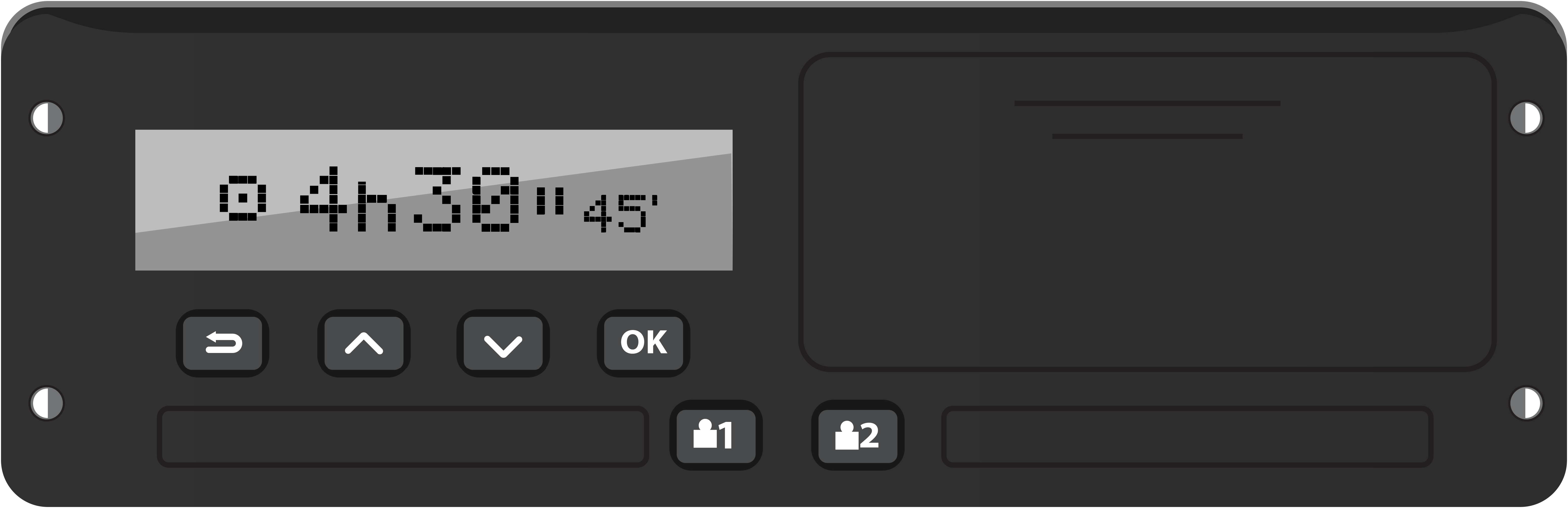
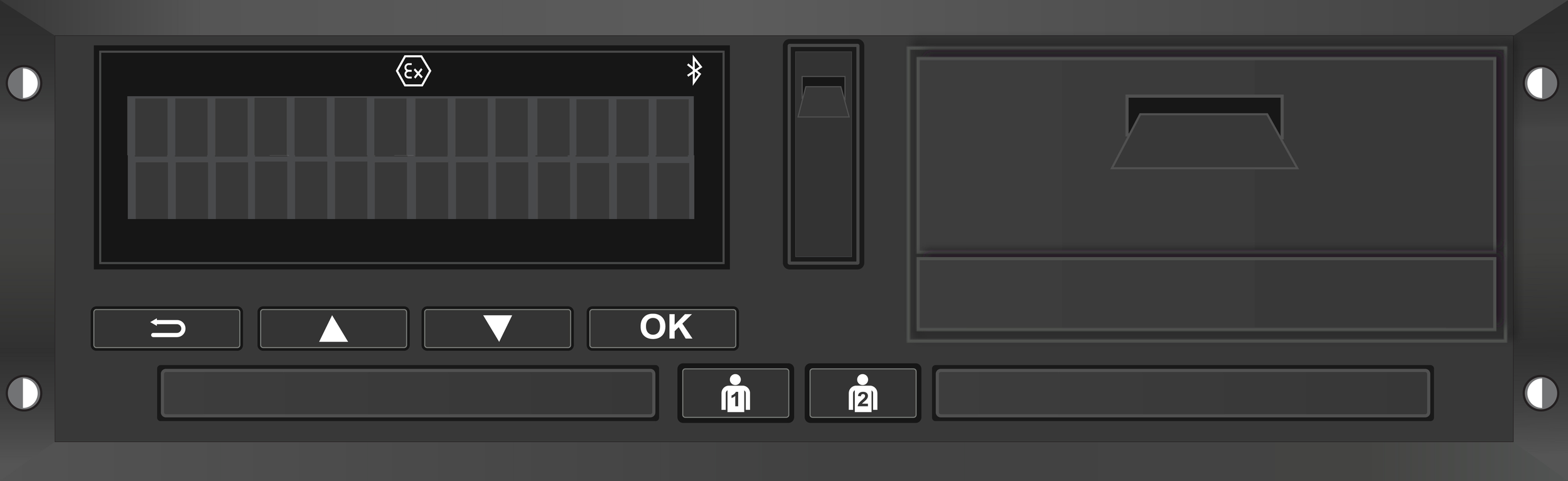
The VYS Tacho Simulator is a learning environment with two exactly recreated devices: the Stoneridge SE5000 and the VDO DTCO 4.1b. Practise the full operation and learn the driving and rest times, on your phone or directly in the browser. Ideal for trainee drivers, driving schools and planners.

  • Real operation, recreated one-to-one: ignition, inserting a card, activities, manual entry, country code, printouts, the menu and the GNSS screen (simulated signal).
  • Financial consequences in view: make a mistake such as driving without a card, no manual entry or speeding, and see the fine amount right away.
  • Plan a whole working day and play it back: set out stops, driving times and rests with real truck distances, have the breaks planned automatically and play the day on the tachograph. Times, kilometres, countries and loading operations end up on the printout.
  • Knowledge base included: driving time rules, rest and breaks, ERRU points and ILT fines, in seventeen languages.
  • Web and app: directly in the browser or as an app for iOS and Android. Access with a session code, QR or a 24-hour purchase.
Stoneridge SE5000VDO DTCO 4.1bSmart Tacho 2.2iOS & Android
Operate the device
Operate the device
Control panel
Control panel

I run a driving school and would like a free demo!

Leave your details and we will contact you for a no-obligation demo.

For driving schools and trainers

Give your trainees access yourself. In the admin portal you create an access code with one email address, valid for 24 hours, 1 week or 2 weeks from a date you choose. The trainee automatically receives an email with the login link (web + app) and instructions. Prefer bulk? Upload a list of email addresses at once, with a language per trainee. Your log shows how many codes were created and activated.

Go to the admin portal
Multilingual

Available in seventeen languages

All screens, notifications, the manual and fine tables are available in seventeen languages.

🇳🇱
Nederlands
NL
🇬🇧
English
EN
🇩🇪
Deutsch
DE
🇫🇷
Français
FR
🇪🇸
Español
ES
🇷🇴
Română
RO
🇵🇱
Polski
PL
🇩🇰
Dansk
DA
🇸🇪
Svenska
SV
🇸🇮
Slovenščina
SL
🇭🇺
Magyar
HU
🇵🇹
Português
PT
🇬🇷
Ελληνικά
EL
🇳🇴
Norsk
NO
🇹🇷
Türkçe
TR
🇺🇦
Українська
UK
Get started

Ready to begin?

Download the app on iOS or Android, or request a company account for the transport companies portal.

DOWNLOAD ON THE
App Store
AVAILABLE ON
Google Play
Log in to the portal
Vragen? App ons