Two devices, both complete
You practise on the device the trainee meets in his truck, not on an average of them.
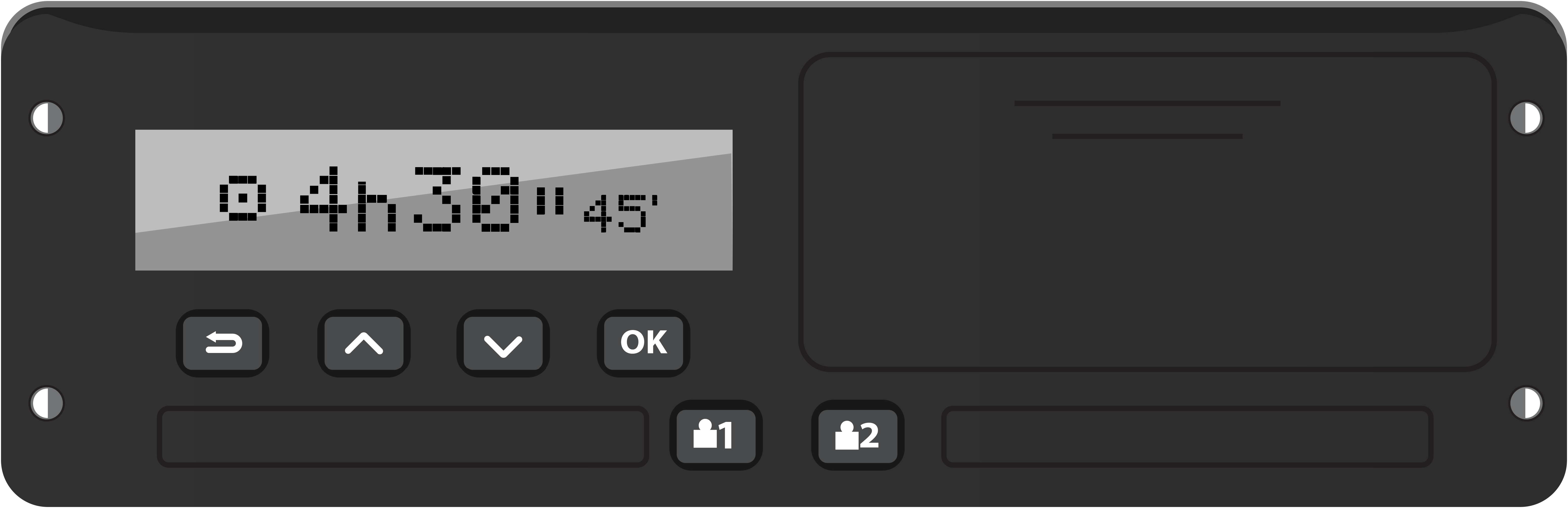
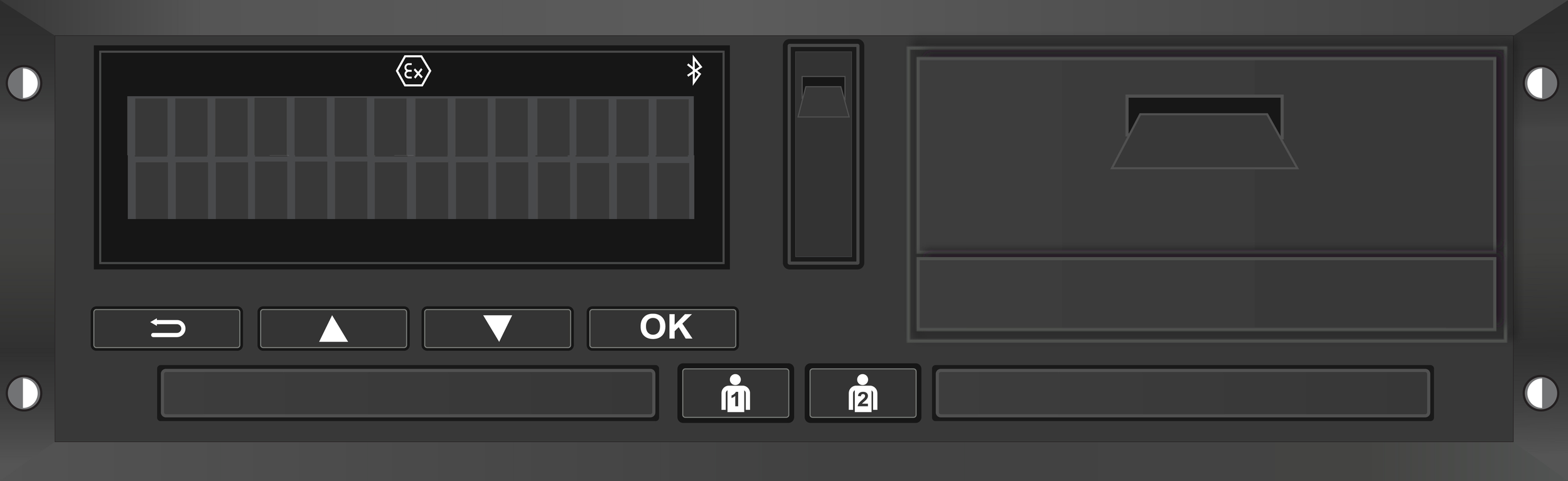
Stoneridge SE5000 (Smart Tacho 2) with the controls of the 8.1 version.
VDO DTCO 4.1b with the layout, the menu order and the counter as they are on the real device.
Both devices share the same simulated truck: registration, odometer, cards and days carry over when you switch device.
The menu texts have been taken literally from the original tachographs.
Working printouts on paper beside the device, with the real pictograms from the display font.
Seven models to choose from: DTCO 1.4 (2011 - 2012), 2.0/2.1 (2012 - 2015), 2.2 (2015 - 2017), 3.0 (2017 - 2019), 4.0 (2019 - 2021), 4.0e (2021 - 2023) and 4.1a/b (2023 - present). Each model has its own menu, its own printouts and its own messages.
The daily actions
Everything a driver does with the tachograph on a working day can be practised here.
Inserting and withdrawing the card in both slots, with the full reading sequence and the name of the card holder.
The manual entry covering the whole period the card was out, including country of departure and country of arrival.
Switching activity: driving, work, availability and rest, also for the co-driver in slot 2.
Ignition on and off, with the questions the device asks and the configurable activity afterwards.
Simulated driving with a speed slider, ferry and train interruptions, and out-of-scope use.
Company card with company lock-in and lock-out, control card and workshop card with sensor pairing.
Time and time zone settings, GNSS position, entering the registration when a company card is first inserted.
Mistakes are allowed, and you immediately see what they cost
The strongest teaching tool in the simulator: wrong handling has visible consequences.
Driving without a card, skipping the manual entry, skipping the country code, working while the tachograph is on rest, speeding, driving on past 4 hours 30 or beyond the daily driving time: it is all recorded.
The timeline shows the day as a day sheet, the way an enforcement officer sees it: which part of the day is unaccounted for and whether the start and end country are recorded. In the colours of the analysis software: driving red, work green, availability yellow, rest blue.
The Financial consequences panel calculates the amount per offence, in the currency and according to the catalogue of the country belonging to the chosen language.
The amounts come from official sources per country. Where a country does not know an offence, the amount is deliberately left empty rather than invented.
For Germany the driving ban in months is shown as well, because for a professional driver that weighs heavier than the money.
The offences also appear on the printouts and in the event list of the device, exactly as in a roadside check.
Assignments and examples, fully automated
The trainee practises independently and the simulator does the marking.
The trainee gets an assignment on screen: complete the manual entry, register the country of departure, make a printout of the last 24 hours, and so on.
The simulator checks each step against the goal and, on a mistake, says what went wrong and why, at that very moment.
As a trainer you have nothing to mark; you see who gets stuck where.
A series of worked examples shows a complete action from start to finish.
You can record actions yourself and play them back as an instruction script: the trainee watches the button presses happen one by one on his own screen, complete with the touch points, and then does it himself.
Reading in and analysing a real driver card
The lesson is about the trainee’s own week instead of an invented example.
With a card reader on the computer you read out a real driver card into a valid DDD file, with the file name according to the regulations.
The reader program (VYS Tacho Bridge) exists for Windows and for Mac and is ready in the portal.
The DDD file goes straight into the simulator: the four weeks on the card come back as days you can view and print on the device.
The analysis recalculates the driving, break and rest times per day and shows where the rules were exceeded.
The files are kept per company and per user in the portal, with a log of every read-out in case something goes wrong.
Files that have been read in are deleted automatically after 24 hours. The module is meant for a trainer going through the trainee’s OWN card with the owner present.
The day planner
Play back a whole working day or week instead of practising isolated actions.
Put together a day with stops, loading and unloading, border crossings, breaks and rest.
The day plays out on the tachograph: the clock runs, the activities change and the counters follow.
Ready-made days for goods transport and for passenger transport, or build a day yourself.
At the end you make the daily printout and see whether it adds up.
Knowledge base and frequently asked questions
The rules in plain language, with the law behind them.
An extensive knowledge base on driving and rest times and on working times, written in plain language.
The surrounding matters too: ERRU points, the symbols on the tachograph, who falls under which rules, the exceptions.
A separate chapter per country with the national rules and the fine amounts from the official source.
More than a hundred frequently asked questions, reviewed by experienced code 95 trainers.
Tips that appear at the right moment in the simulator, for example when the trainee skips the country code. They can be switched off per user.
In the classroom and on the phone
The same product on the projector screen and in the trainee’s pocket.
In the browser on any computer, without installation: log in with a code and start.
As an app for iPhone and Android, where the tachograph fills the screen in landscape.
What the trainee practises at home is exactly what he saw in the lesson; there is only one version.
The whole environment exists in twenty-six languages, including the tachograph menus, the knowledge base, the assignments and the fine tables.
The management portal
You arrange access for your trainees yourself, without any involvement from us.
Create and assign codes per course day, and activate them yourself whenever it suits you.
A QR code on the projector screen that lets the whole group in at once.
See which codes have been used and by how many people at the same time.
Switch the DDD module on or off per company.
Your own account page with company details and VAT number.
We keep building
The simulator is finished, but never done.
The simulator and the knowledge base were reviewed during development by experienced code 95 trainers, in Germany as well.
If something is missing or not quite right, we do not need a meeting: reports are usually picked up the same day.
Every change is listed with date and version number in the changelog, so you can see what has changed.
Try it yourself?
Request a demo code and see everything for yourself. The code is valid for seven days and works in the browser and in the app.